Installation
Pip Install
By default, grill won’t install USD, PySide(2|6) & PyOpenGL. This is because
DCC apps and other environments bundle them outside of pip. To include them, use the [full] option.
Similarly, grill won’t install asset creation capabilities, as those are opinionated. To enable these, use the [create] option.
Other dependencies like numpy, networkx or pydot can be skipped by using the --no-deps flag.
python -m pip install grill
python -m pip install grill[full]
python -m pip install grill[create]
python -m pip install --no-deps grill
Note
For some DCC applications (e.g. Houdini, Maya) pip needs to run
from their corresponding python interpreters:
If pip is missing, follow this guide.
hython -m pip install grill
Visit the official docs for more details.
mayapy -m pip install grill
Extra Dependencies
The following optional dependencies should be installed separately.
graphviz for graph widgets. See conda example below for instructions.
usdview (hopefully will be available soon via pypi). In the meantime, it can be built from USD source (conda recipe).
Conda Environment Example
For environment management, The Grill uses conda. This is a
walk-through on how to start using The Grill tools with a fresh
conda environment.
If the
condacommand is not on the system yet, install miniconda.Hint
conda installation comes in two flavors:
Anaconda, which is conda + a lot of extra utilities.
miniconda, which is the minimal bootstrap for
conda. When in doubt, install this one.
Launch Anaconda Prompt (it came as part of the miniconda installation).
Create a new
condaenvironment withpython=3.10, for example:(base) C:\>conda create -n grilldemo01 python=3.10Activate that environment:
(base) C:\>conda activate grilldemo01Install
grillviapip; use the[full,create]options to use standalone. Refer to the pip install instructions for more details.(grilldemo01) C:\>python -m pip install grill[full,create]If missing, (optionally) install graphviz via
conda:(grilldemo01) C:\>conda install conda-forge::graphvizHint
For graph visualization, a python library for
graphvizis required.grillsupportspydotandpygraphviz:pydot, is the default (installed with the
grillpackage) but can be slower for large graphs (4k+ nodes)pygraphviz, is faster but challenging to insall (visit the docs and pygraphviz#468 for more details)
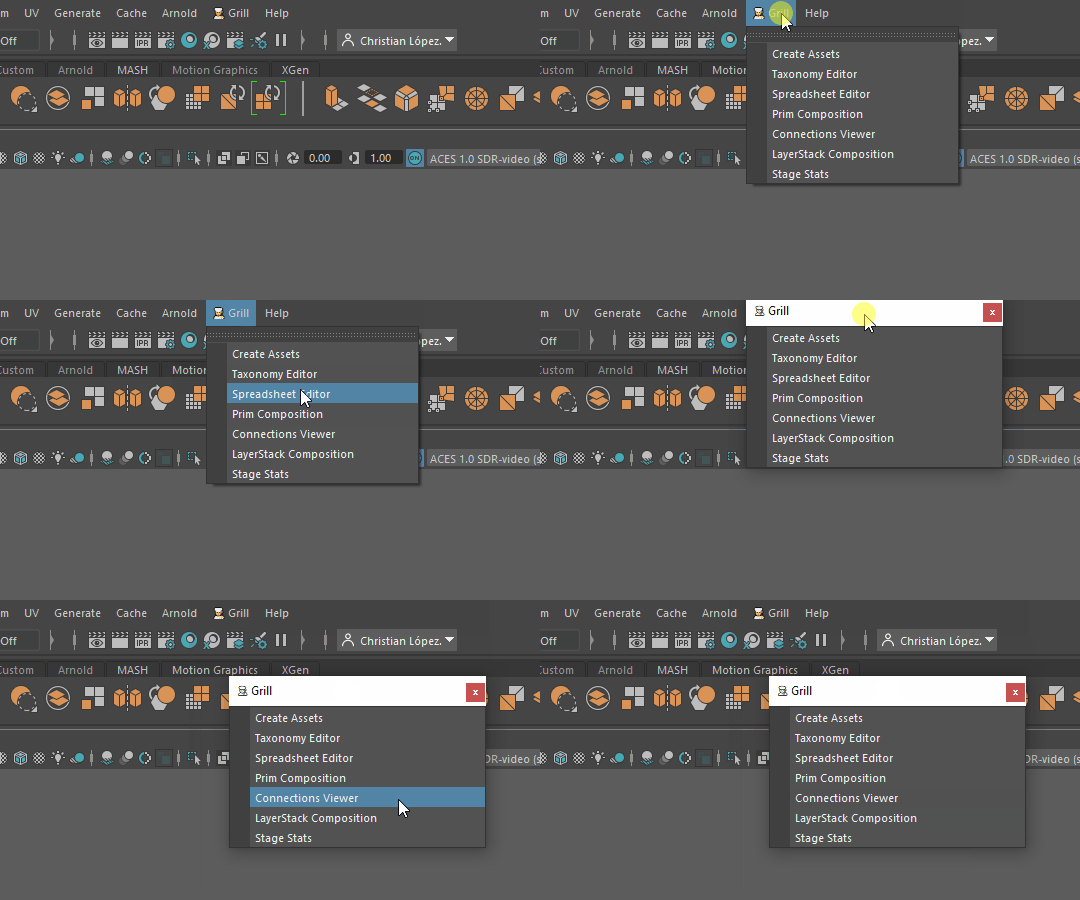
You should be able to see the
👨🍳 Grillmenu in USDView, Maya and Houdini*.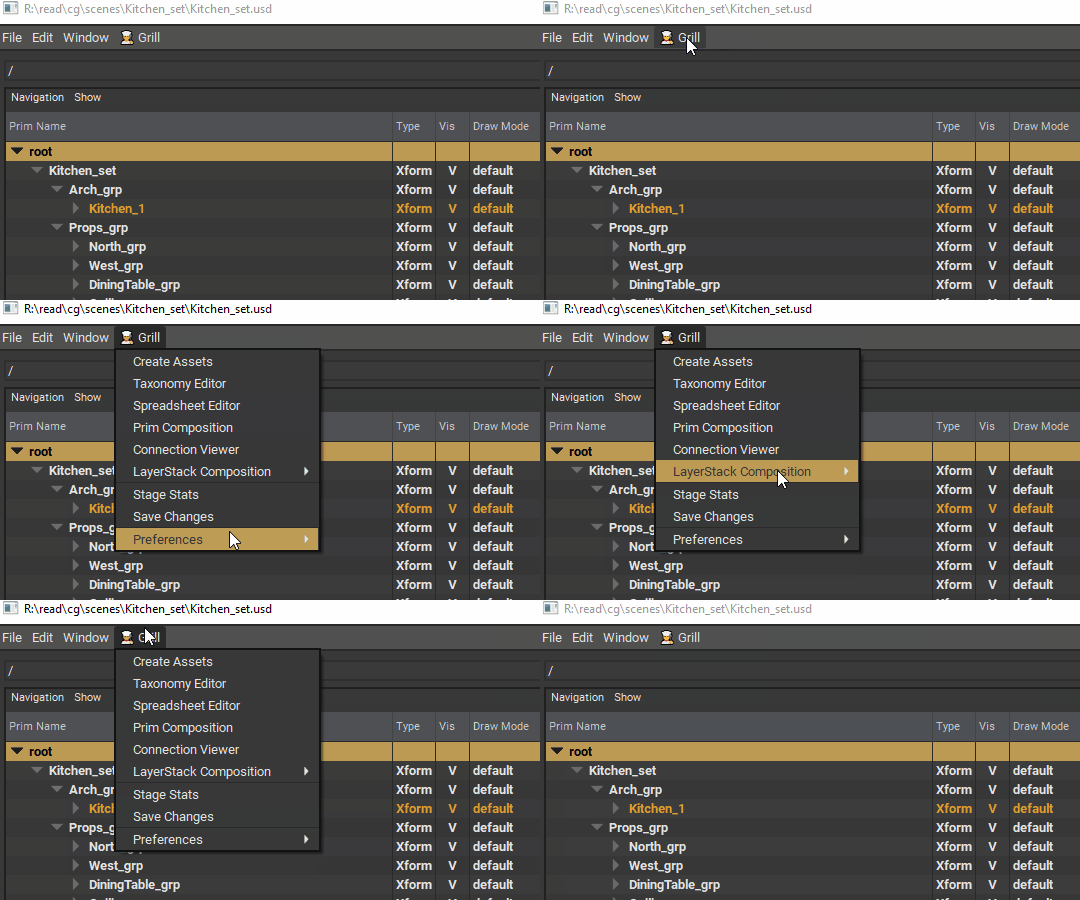

Important
To see the menu in Houdini, run this additional step (which installs the grill houdini package on the Houdini’s user preferences):
hython -c "from grill.__startup__ import houdini;houdini.install_package()"The manual execution of this step might be removed in the future.